Blazor WebApp Server&Cookie中AuthorizeAttribute的两重用途
框架说明
在使用Blazor WebApp Server模式下,设定以Cookie为鉴权机制。使用全局交互模式。
AuthorizeAttribute
在页面上标记AuthorizeAttribute。其作用在于设定该页面需要鉴权完毕才能访问。
@page "/counter"
@attribute [Microsoft.AspNetCore.Authorization.Authorize]

<PageTitle>Counter</PageTitle>
没有它,当为Http请求时如果没有全局开启授权检查,则能够直接响应页面内容和执行页面上的操作。当为SignalR时,也可直接响应页面内容且执行操作。为了区分使用场景,以下按照Http还是SignalR使用区分开描述。
Http请求
区分于是否启用了全局授权检查,其行为有所不同。
启用全局授权检查
在启用全局授权检查时,如下所示
app.MapRazorComponents<App>()
    .AddInteractiveServerRenderMode()
    .RequireAuthorization(); //here
有些页面则需要标记匿名访问,比如Login Page。
@page "/login"
@layout EmptyLayout
@attribute [AllowAnonymous]
这种场景下,其他页面默认需要鉴权完毕才能访问。以Home为例
@page "/"
<PageTitle>Home</PageTitle>

<h1>Hello, world!</h1>

Welcome to your new app.
配置鉴权服务和使用Cookie Scheme
builder.Services.AddAuthentication(CookieAuthenticationDefaults.AuthenticationScheme)
    .AddCookie(options =>
    {
        options.Cookie.Name = "auth_token";
        options.Cookie.MaxAge = TimeSpan.FromSeconds(15);
        options.LoginPath = "/login";
        options.AccessDeniedPath = "/access-denied";
    });
builder.Services.AddAuthorization();
builder.Services.AddCascadingAuthenticationState();
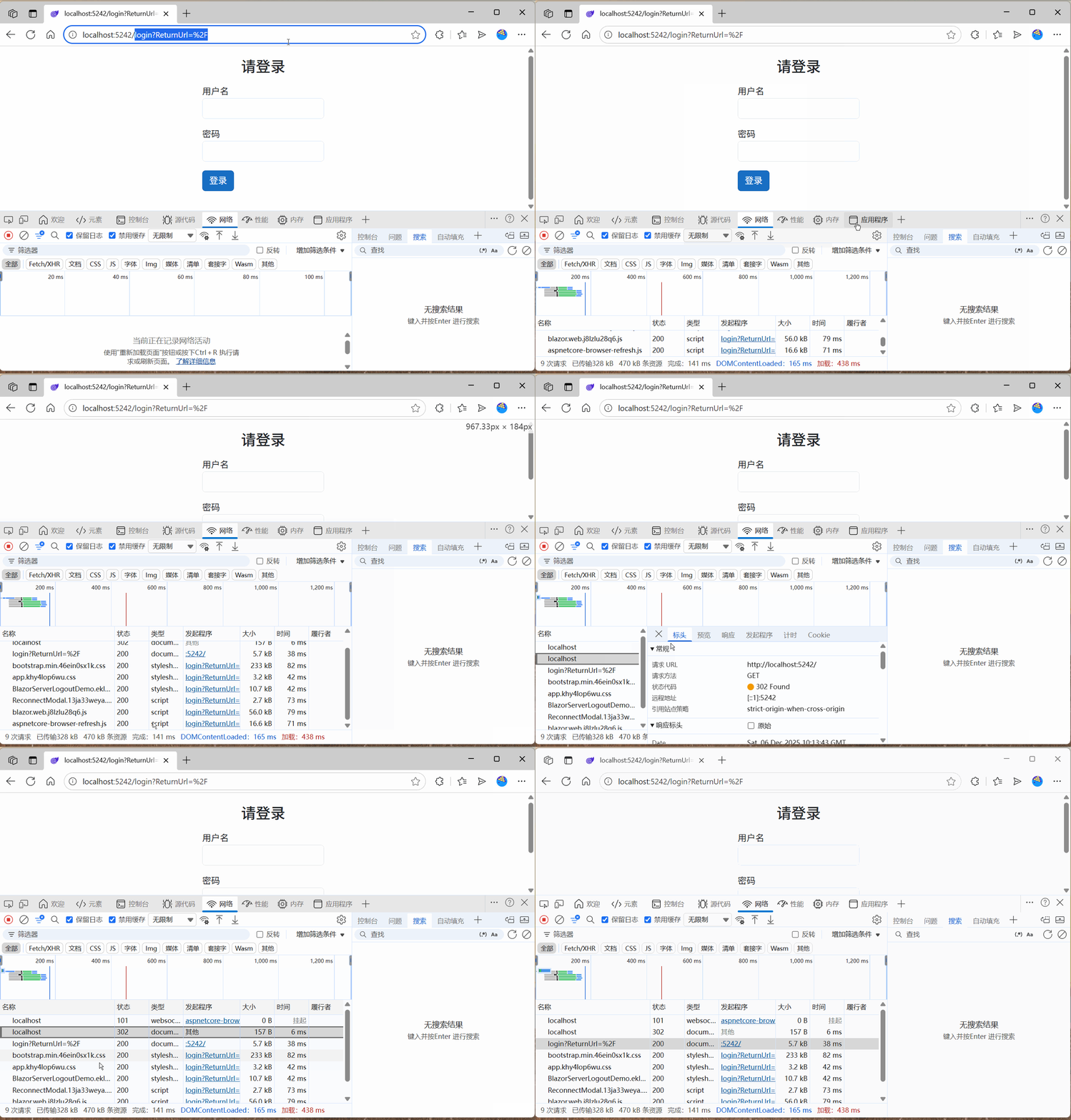
在请求Web时,默认为Home,应全局开启需要授权,则按照Cookie Scheme要求跳转到重定向页面,其效果如下:
不启用全局授权检查
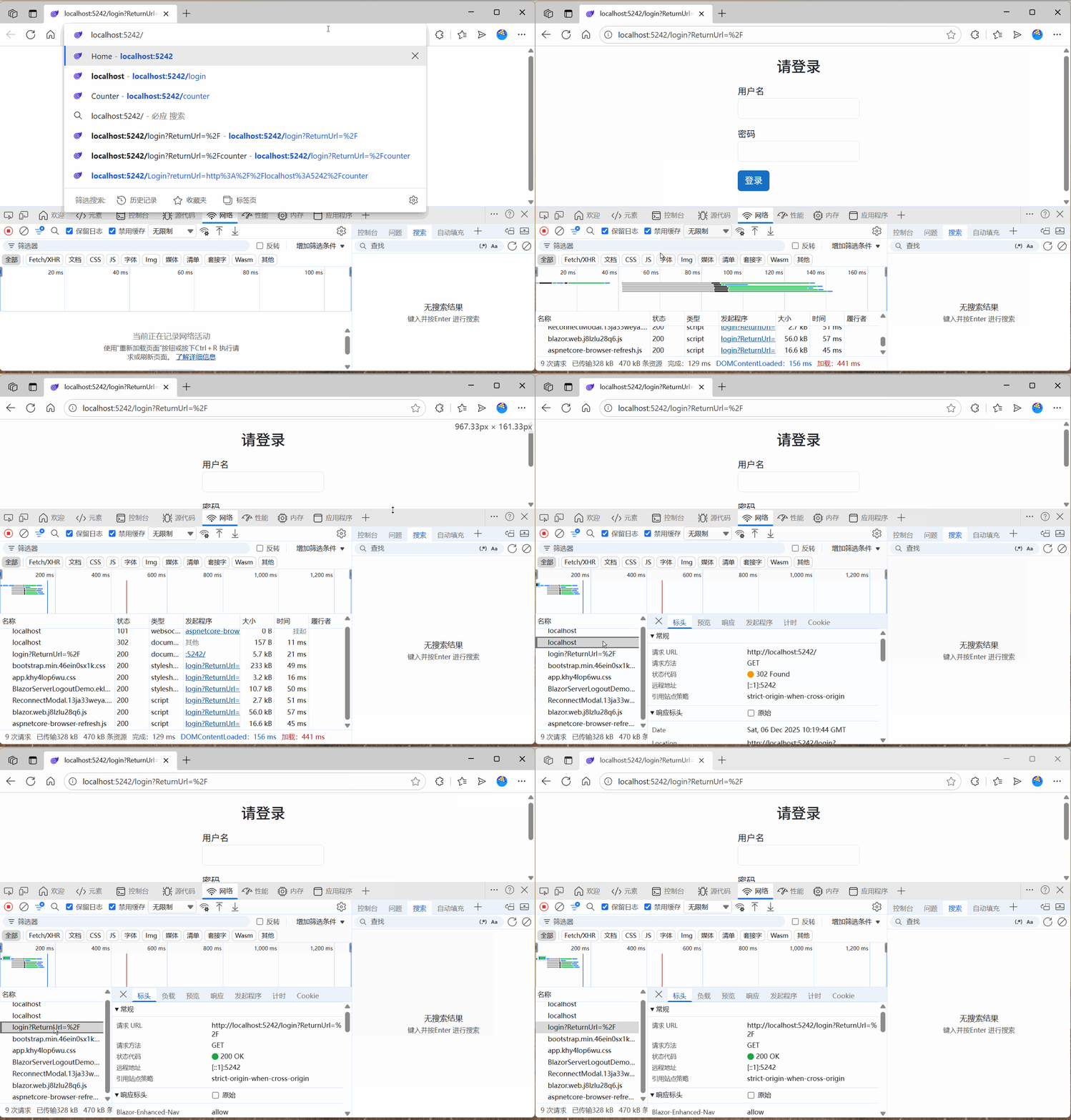
直接在page上标记AuthorizeAttribute,则通过Http访问该页面时,仍然按照鉴权中间件配置的Cookie Scheme规则重定向到登录页。
比如Home页标记AuthorizeAttribute
@page "/"
@attribute [Microsoft.AspNetCore.Authorization.Authorize]
<PageTitle>Home</PageTitle>

<h1>Hello, world!</h1>

Welcome to your new app.
其效果和全局启用下是一样的。
 整体来看,Http请求下,使用方式和WebApi或者Mvc类似。
SignalR请求
在配置了自定义RevalidatingServerAuthenticationStateProvider类后,服务端能够检测到用户退出后断开信道。同时令浏览器端页面变更。这种场景下,是否配置了AuthorizeAttribute会影响变更结果。这种场景下,无论全局授权检查是否开启,SignalR都只关乎页面上是否标记了Authorize。
自定义RevalidationServerAuthenticationStateProvider
为了快速演示效果,此处模拟用户信息包含一个变更值,设定3秒检测一次,达到特定条件后返回false,以断开信道连接。
public class CustomRevalidatingServerAuthenticationStateProvider : RevalidatingServerAuthenticationStateProvider
{
    private readonly ILogger<CustomRevalidatingServerAuthenticationStateProvider> _logger;

    public CustomRevalidatingServerAuthenticationStateProvider(ILoggerFactory loggerFactory) : base(loggerFactory)
    {
        _logger = loggerFactory.CreateLogger<CustomRevalidatingServerAuthenticationStateProvider>();
    }

    protected override TimeSpan RevalidationInterval => TimeSpan.FromSeconds(3);

    protected override Task<bool> ValidateAuthenticationStateAsync(AuthenticationState authenticationState, CancellationToken cancellationToken)
    {
        _logger.LogInformation($"{DateTime.Now:hh:mm:ss}-Checking:");
        var expirationDate = authenticationState.User.Claims.FirstOrDefault(c => c.Type == ClaimTypes.Expiration)?.Value;
        if (expirationDate != null)
        {
            var expirationDateClaim = DateTime.Parse(expirationDate);
            if (expirationDateClaim < DateTime.UtcNow)
            {
                _logger.LogInformation($"false");
                return Task.FromResult(false);
            }
        }

        _logger.LogInformation($"true");
        return Task.FromResult(true);
    }
}
在登录后的user claims中,设定一个及其短暂的过期时间,以便于服务端检测。
new Claim(ClaimTypes.Expiration, DateTime.UtcNow.AddSeconds(15).ToString("yyyy-MM-dd HH:mm:ss")),
AuthorizeRouteView
在Routes.razor中,如果使用了RevalidatingServerAuthenticationStateProvider但没有配合使用AuthorizeRouteView,无论是否标记Authorize,都是没有意义的。
在Counter中标记了Authorize并且在授权下展示当前用户名。
@page "/counter"
@attribute [Microsoft.AspNetCore.Authorization.Authorize]
@inject CounterService CounterService

<PageTitle>Counter</PageTitle>

<AuthorizeView>
    <Authorized>
        <p>Hello, @context.User.Identity?.Name!</p>
    </Authorized>
</AuthorizeView>

<h1>Counter</h1>

<p role="status">Current count: @CounterService.Value</p>

<button class="btn btn-primary" @onclick="IncrementCount">Click me</button>

@code {
    private void IncrementCount()
    {
        CounterService.Value++;
    }
}
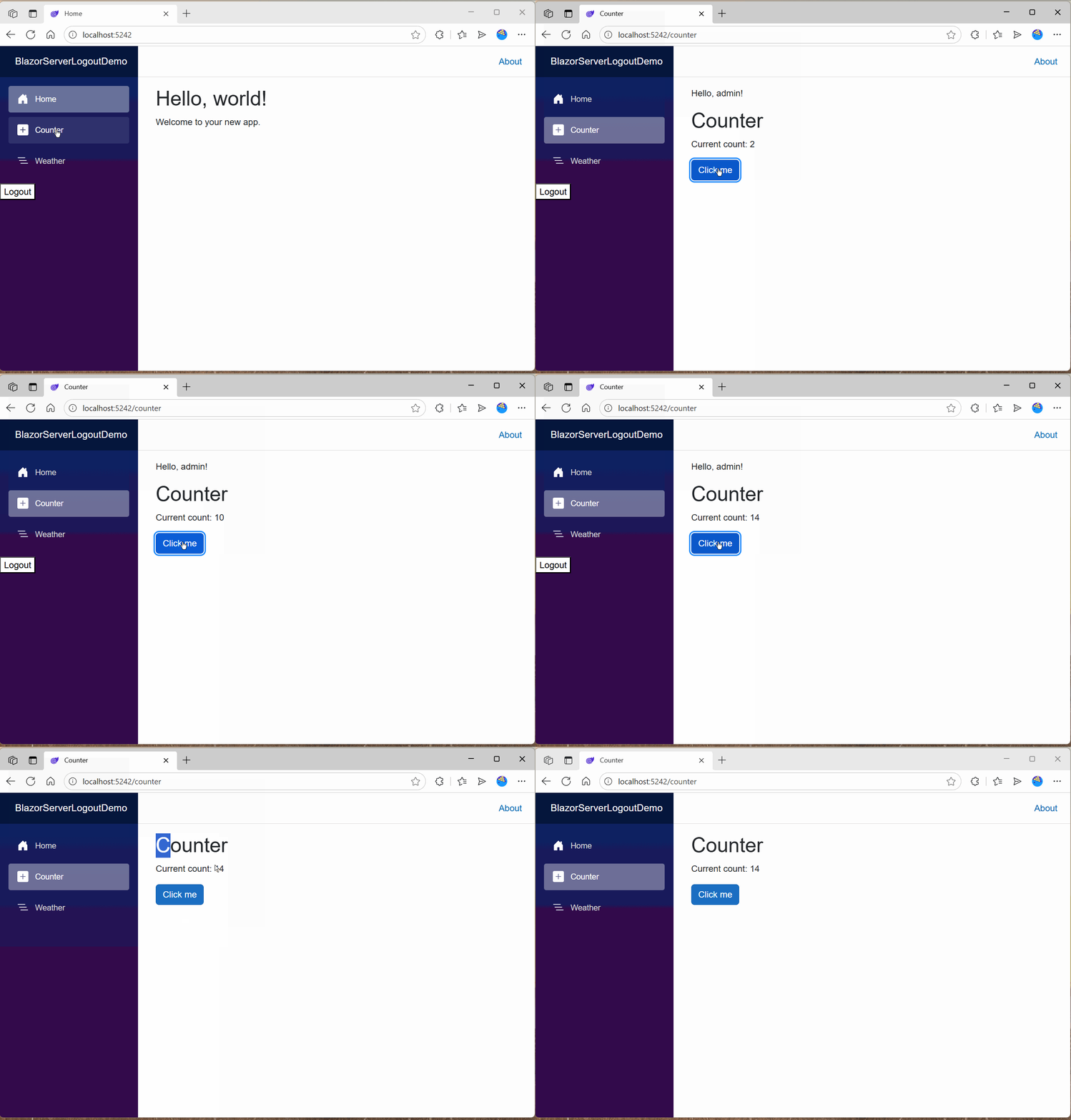
效果如下所示,页面用户认证信息自动消失,但是页面仍然可见并且可点击。
页面不标记Authorize
在不标记下,默认页面为匿名,尽管使用AuthorizeRouteView,也是仍然能够看到页面和执行行为。与使用RouteView和AuthorizeAttribute组合效果一致。
页面标记Authorize
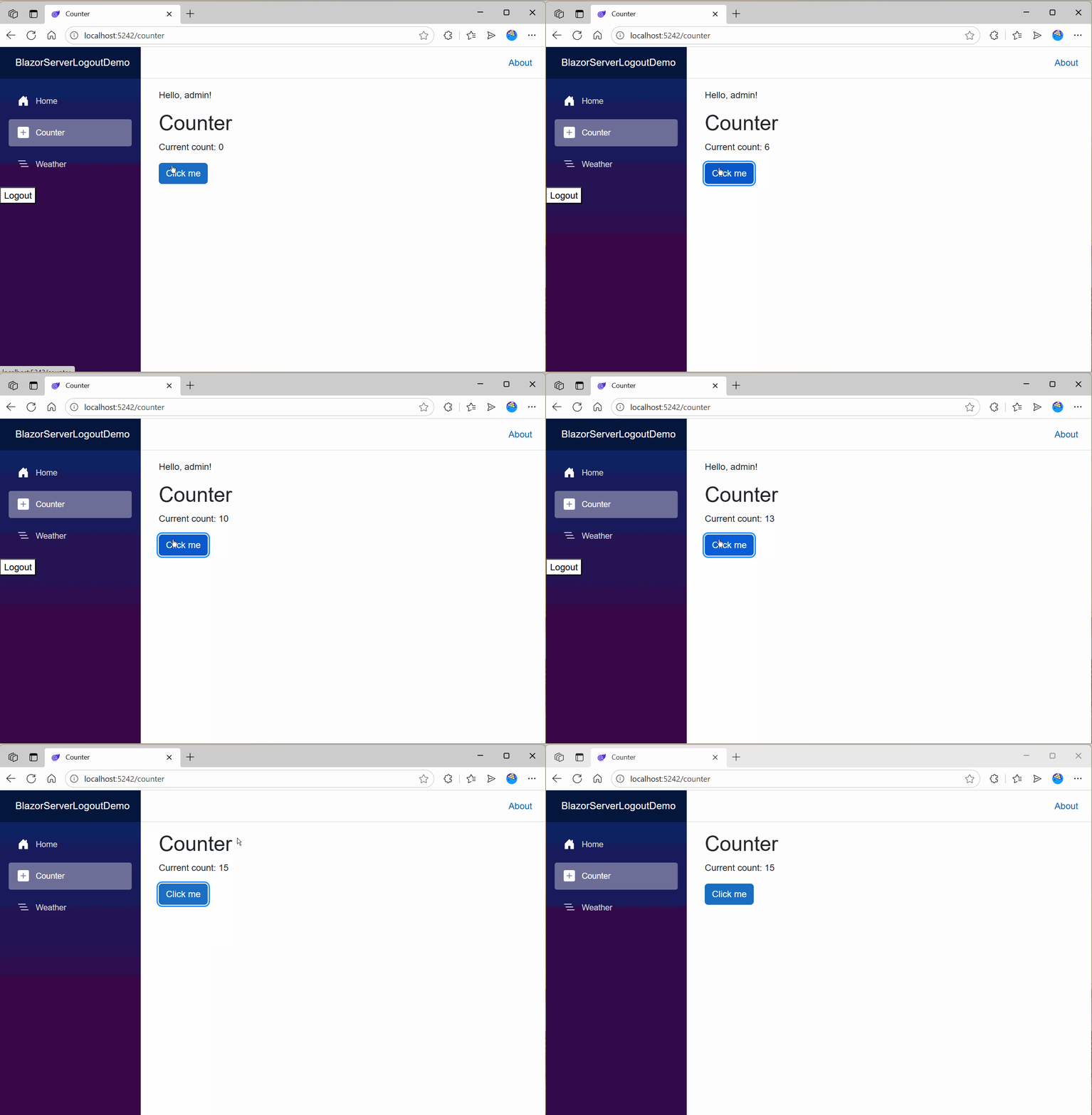
在使用AuthorizeRouteView前提下,页面标记Authorize后,如果AuthorizeRouteView使用默认行为,则是提示Not authorized!。
https://source.dot.net/#Microsoft.AspNetCore.Components.Authorization/AuthorizeRouteView.cs,114
其效果为
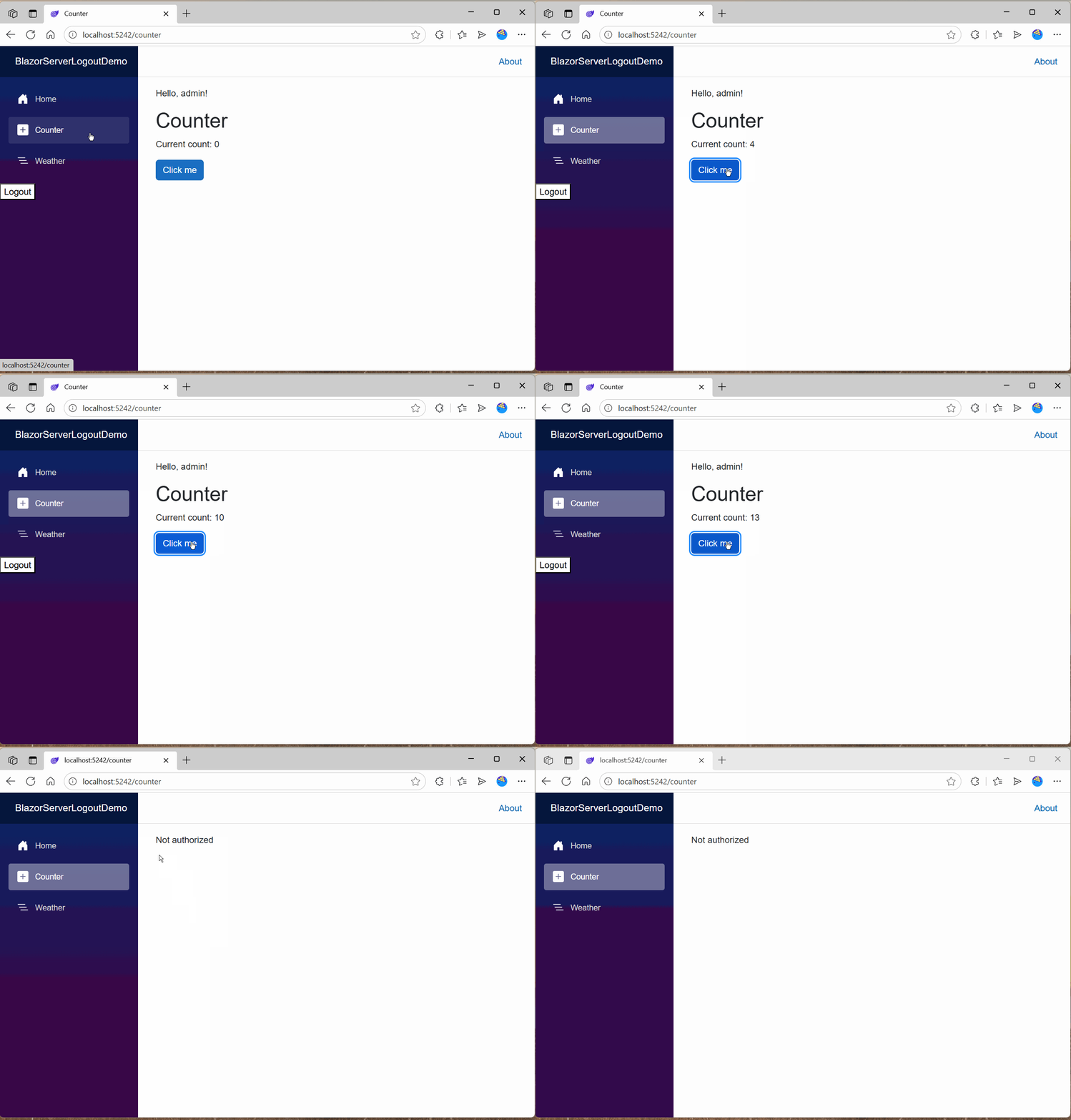 这种场景符合预期行为,如果退出后,没有权限了,也就应该阻断页面访问。
扩展场景
SignalR请求下,设定AuthorizeRouteView未授权下重定向行为。
<Router AppAssembly="typeof(Program).Assembly" NotFoundPage="typeof(Pages.NotFound)">
    <Found Context="routeData">
        <AuthorizeRouteView RouteData="routeData" DefaultLayout="typeof(Layout.MainLayout)" >
            <NotAuthorized>
                <RedirectToLogin />
            </NotAuthorized>
        </AuthorizeRouteView>
        <FocusOnNavigate RouteData="routeData" Selector="h1" />
    </Found>
</Router>
重定向组件内容
@inject NavigationManager NavigationManager

@code {
    protected override void OnInitialized()
    {
        NavigationManager.NavigateTo($"Login?returnUrl={Uri.EscapeDataString(NavigationManager.Uri)}", forceLoad: true);
    }
}
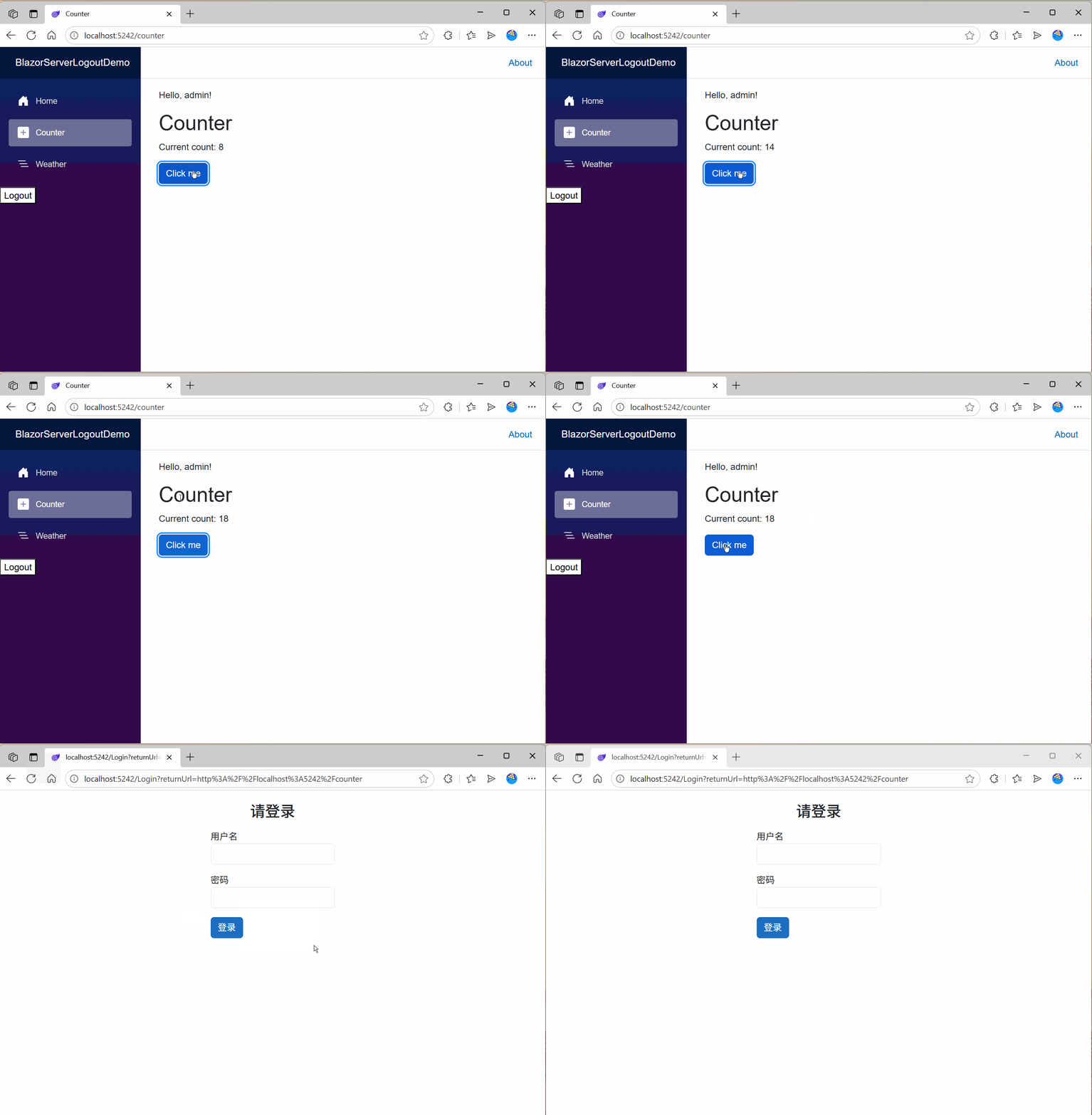
如此一来,在目标页面上标记了Authorize后,则能够在服务端检测到用户退出后关闭信道,浏览器页面重定向到登录页,其效果为
参考文档
https://auth0.com/blog/blazor-server-and-the-logout-problem/
2025-12-06,望技术有成后能回来看见自己的脚步。